Description
SSO for Google (clarinerd) provides a lightweight Google Single Sign-On (SSO) integration for WordPress.
Users can authenticate with their Google account instead of creating and managing a separate WordPress password. The plugin uses Google’s OAuth 2.0 authentication and can automatically create WordPress user accounts for new users upon first login.
Features include:
- Google Single Sign-On authentication
- Automatic user account creation
- Customizable Google login button
- Optional custom login page support
- Optional login-only mode to restrict site access
- Support for redirecting users back to their original destination after login
- Gutenberg shortcode
clarinerdGSSO_loginand Gutenberg block for displaying the Google login button and/or WordPress form anywhere on your site - Compatible with modern WordPress versions and block themes
This plugin is ideal for organizations, schools, clubs, membership sites, and businesses that already use Google Workspace or Google accounts.
Installation
Installation from within WordPress
- Visit Plugins → Add New.
- Search for SSO for Google (clarinerd).
- Install and activate the plugin.
- Navigate to Settings → SSO for Google.
- Enter your Google OAuth Client ID and Client Secret.
- Configure your Google Cloud OAuth application redirect URI.
- Save settings and test login functionality.
Manual installation
- Upload the entire
clarinerd-gssofolder to the/wp-content/plugins/directory. - Visit Plugins in WordPress Admin.
- Activate SSO for Google (clarinerd).
- Configure your Google OAuth credentials under the plugin settings page.
Usage
Shortcode
Display the button and login form anywhere on your site using the shortcode below:
[clarinerdGSSO_login]Pattern
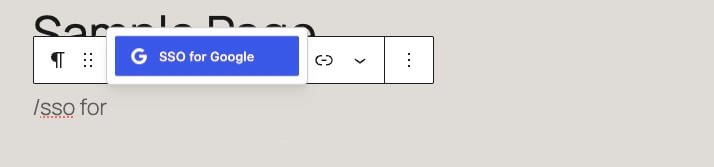
Display the button and login form anywhere on your site by adding the pattern in the Editor:
Login Page Integration
The plugin can automatically add a Google login button to the standard WordPress login page.
Restrict Site Access
Enable Login Only Mode to require authentication before viewing site content.
Frequently Asked Questions
What Google credentials do I need?
You must create an OAuth 2.0 application in the Google Cloud Console and provide the Client ID and Client Secret within the plugin settings.
Will new users be created automatically?
Yes. If “Anyone can register” option is enabled, new users can automatically receive a WordPress account when successfully authenticating through Google.
Can I use a custom login page?
Yes. The plugin supports redirecting visitors from the default WordPress login screen to a custom login page.
Does this work with Google Workspace accounts?
Yes. The plugin supports both personal Google accounts and Google Workspace accounts.
What if I need help?
Use the Contact form found on this site.